
Introduction
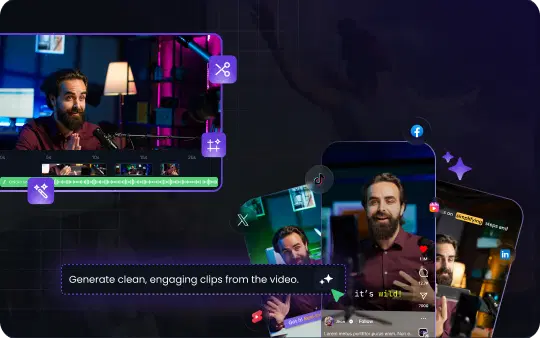
Have you ever filmed a lengthy video, like a webinar, podcast, or tutorial, and wished you could magically turn it into bite-sized clips for TikTok, Instagram Reels, or YouTube Shorts? You're not alone. In today's fast-paced social media world, short-form videos are king. They grab attention quickly, get more engagement, and have a higher chance of going viral than long-form content. The good news? There's now an easier way to repurpose your long video into multiple viral short videos using AI. In this post, we'll explore how an AI video clip tool like VFX AI can serve as your personal YouTube Shorts maker and Reels generator, helping you transform lengthy footage into scroll-stopping shorts with minimal effort.
Why Repurpose Long Videos into Shorts?
Repurposing your long videos into short clips isn't just a trendy fad; it's a smart content strategy. Here are a few key benefits for creators, social media managers, and marketers:
- Reach a Wider Audience: Short clips can be shared across platforms like Instagram, YouTube, TikTok, and Facebook, reaching viewers who prefer quick, snackable videos. It lets you tap into multiple audiences without filming anything new.
- Boost Engagement and Virality: Short-form videos often get higher engagement, up to 2.5× more than longer videos. Almost half of marketers say these bite-sized videos are more likely to go viral. By sharing highlights as shorts, you increase the odds that your content will catch fire.
- Save Time and Maximize Content ROI: Why create brand new content for every platform when you can recycle one great video into 5, 10, or even 20 pieces of content? This kind of content repurposing maximizes the return on the time you invested in creating the original video. Plus, using an AI tool saves you hours of editing, no more manually scrubbing through footage for highlights.
- Keep Followers Engaged: Regularly posting shorts keeps your social feed active and engaging. You can tease the best moments from a long video to hook viewers and encourage them to watch the full video or check out your other content. It's an easy way to maintain consistency and stay top-of-mind with your audience.
Ready to amplify your reach with minimal effort? VFX AI makes it simple. It's currently in Alpha, which means you can be one of the first to try it out and get ahead of the trend. Sign up for free early access.
How AI Makes Editing Easier (No Skills Required)
If you've ever tried manually cutting a long video into shorts, you know it can be a tedious process. Scrolling through hours of footage to find those golden moments, trimming clips just right, adding captions, formatting for vertical view… it can feel like running a marathon with no finish line. Here's where AI-powered editing comes to the rescue:
- Automatic Highlight Detection: Advanced AI algorithms can analyze your video and pinpoint the most engaging segments. They look for moments with clear speech, high energy, or engaging visuals. Instead of guessing what might interest viewers, let the AI find the "gold nuggets" for you.
- Instant Formatting for Shorts: Forget about fiddling with aspect ratios or resizing. An AI tool like VFX AI will automatically format clips for vertical 9:16 (perfect for TikTok, Reels, Shorts) or other dimensions you need. Your long video gets chopped and converted into ready-to-post, platform-optimized content in one go.
- AI-Generated Captions and Edits: Good short videos often include captions or subtitles (since many people watch on mute). AI can auto-generate accurate subtitles for each clip and even style them in an eye-catching way. Some tools add automatic transitions or zooms to make the clip more dynamic. You get polished results without mastering any editing software.
- No Experience Needed: The best part is that no editing skills are required. You don't have to be a video editing pro or spend money hiring one. AI acts as your personal editor, working 24/7. Just upload your video and let the AI video clip tool handle the heavy lifting. This levels the playing field for solo creators and small teams to produce professional-looking shorts.
Step-by-Step: Turning a Long Video into Viral Shorts with VFX AI
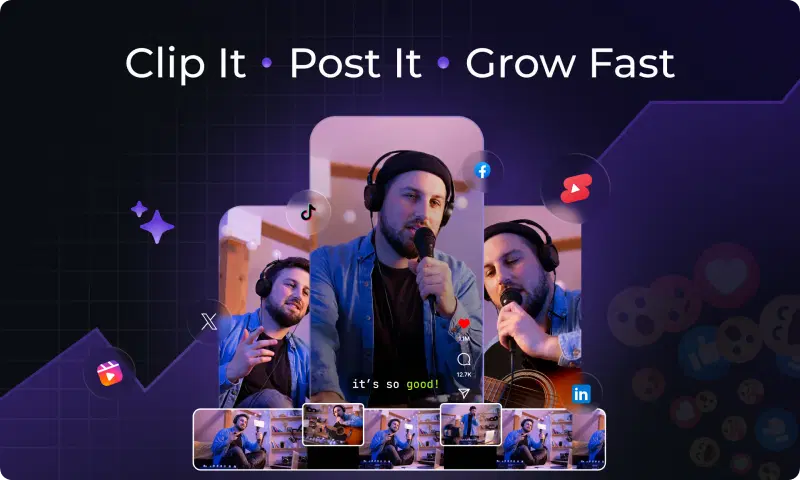
So how do you actually go from a 30-minute video to a handful of share-worthy 30-second clips? It's easier than you might think. Here's a streamlined step-by-step guide to using VFX AI (or a similar AI tool) as your YouTube Shorts maker and Reels generator:
- Upload Your Long Video: Sign in to VFX AI and upload your video file (or paste a link if your video is already online). This could be a recorded Zoom webinar, a YouTube video, a podcast recording, etc. The tool accepts your content and prepares it for analysis. Tip: If prompted, select the output format or aspect ratio (choose vertical for most social platforms) and the desired length for your shorts (e.g., 15s, 30s, 60s).
- Let AI Analyze and Find Highlights: Once uploaded, hit the "generate" or "clip" button. The AI will scan through the entire video to identify key moments. This might include parts where you hit an important point, share a valuable tip, tell a funny anecdote, or have an exciting interaction. In just a short time, VFX AI will automatically cut these out into shorter clips. No need to watch hours of footage, the AI does it in minutes.
- Preview and Fine-Tune (Optional): VFX AI will present you with a selection of short video clips extracted from your long video. Now you can preview each suggested short. The great thing is, they're usually ready to post as-is. But you can also make quick tweaks. For instance, you might trim a clip slightly differently, edit the auto-generated caption text if needed, or highlight a specific quote. This step is all about ensuring each short is just right for your audience.
- Download and Share Your Shorts: Satisfied with the clips? It's time to export them. Download the finished short videos to your device. You can now upload these eye-catching shorts to YouTube Shorts, Instagram Reels, TikTok, or any platform you want. Don't forget to add a catchy title or description and relevant hashtags when posting. With your new clips live, you've successfully transformed one long video into a wealth of content across social media!
(And just like that, you've saved yourself countless hours of editing. 🎉)
Pro Tips for Creating Shorts That Shine
Even with AI doing the heavy lifting, a bit of human touch and strategy can make your short videos even more successful. Keep these tips in mind to get the most out of your AI-generated shorts:
- Start Strong: The first few seconds of a short video are crucial. Make sure each clip starts with a hook, an interesting question, a bold statement, or a visually striking moment, to immediately grab attention. If an auto-generated clip has a slow start, trim it so it begins right at the action or punchline.
- Add Context if Needed: While your shorts should stand alone, a one-liner or caption can add context. For example, adding a title card or text overlay to indicate the topic can lure viewers in. Many AI tools let you add a quick title or adjust the subtitle style for clarity.
- Leverage Trends (Sound & Hashtags): When you post your clip as a Reel or TikTok, consider using a trending sound or relevant music if it fits your content. Likewise, use popular hashtags like #Shorts, #Reels, or niche tags related to your topic. This can increase discoverability and viral potential.
- Post Consistently: A single viral short is great, but consistency is key for growth. Since content repurposing with AI is so quick, aim to share shorts regularly. For instance, if you do a weekly long video, you could generate 5+ shorts from each and schedule them throughout the week. This keeps your social media feeds active and continuously brings in new viewers.
By following these tips, you'll amplify the impact of the clips VFX AI creates for you. It's all about working smarter (with a bit of AI help) and then adding your personal marketing savvy to the mix.
Conclusion: Work Smarter with AI-Powered Video Repurposing
Long videos are packed with valuable moments, and now you don't have to let those moments fade unseen. AI is revolutionizing the way we create content by making video repurposing fast and painless. With the right tool, one long recording can turn into a library of engaging shorts that drive traffic, grow your follower count, and keep your audience coming back for more.
Instead of pouring hours into editing, you can let VFX AI handle the heavy lifting while you focus on creating content and interacting with your community. It's a game-changer for anyone looking to maximize their content output without burning out.
Ready to give it a try? Join the Free VFX AI Alpha today and see how effortlessly you can convert long videos into viral-ready shorts. Don't miss the chance to be an early adopter of this cutting-edge tool and start transforming your videos with AI!