
Introduction
Picture this: You've just wrapped up filming a great video. But now it's 10 PM, and you're facing hours of editing before you can share it with the world. Sound familiar? For many creators and marketers, video editing is the bottleneck in the content process, a painstaking task that eats up evenings and weekends. In fact, professional editors often spend 30 minutes to an hour editing every single minute of video. There has to be a better way.
The Grind of Video Editing (and Why It Needs to Change)
Creating video content is more important than ever. In fact, 93% of marketers say video has helped them win new customers. Yet editing that content is often a grind. You scroll through raw footage, cut and trim clips, adjust audio levels, add captions, and reformat for each social platform. Even with modern software, it's a time-consuming, manual process that requires skill and serious patience. Small teams and independent creators feel this pain acutely: there's never enough time to edit footage into all the polished videos you need.
Traditional solutions haven't fully solved the problem. Hiring professional editors is costly, and coordinating with them takes time. Outsourcing or using multiple apps for transcription, editing, and social posting can be inefficient. And if you're doing it all yourself, you know the late-night editing sessions are real. It's 2025, shouldn't our technology be doing more of the heavy lifting for us?
Meet VFX AI: Your AI Video Editing Assistant
VFX AI is our answer to the video editing crunch. It's an AI-powered video editing and publishing platform designed to automate tedious post-production tasks. Think of it as having a virtual editor on demand. You upload your video and simply tell the AI what you want, and it gets to work.
At the heart of VFX AI is VideoGPT, a ChatGPT-like video assistant. In a simple chat interface, you give natural-language commands (for example, "Generate a 60-second highlight reel from my video" or "Enhance the audio and add captions"). The AI understands and executes these instructions. It can automatically find key moments and cut clips for you. It even removes filler words ("um," "uh") for smoother speech, improves lighting and sound, and adds subtitles. And all of this happens in a matter of seconds or minutes, not hours. Suddenly, the editing process feels less like labor and more like magic.
But VFX AI isn't just an editing gimmick; it's a complete end-to-end platform. Once the AI processes your video, you can fine-tune the results in a built-in Studio editor if needed, or let the AI continue with more prompts. The platform allows you to schedule and publish your finished videos directly to YouTube, Instagram, Facebook, and other social channels, no more downloading and uploading across different apps. Everything, from the first rough cut to the final social media post, can happen in one place.
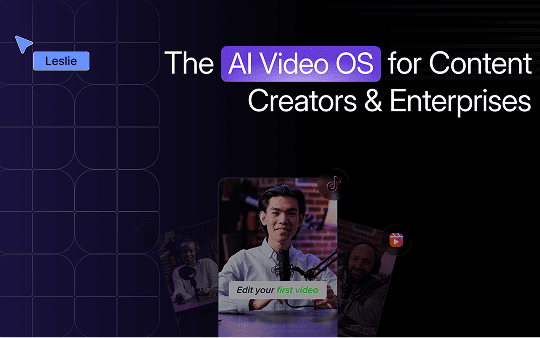
Key Features: What Sets VFX AI Apart
- Edit Videos by Talking (or Typing) to AI: With VideoGPT's chat-based editing, you describe what you need in plain English, and the AI handles it. Tell it to cut a 15-second vertical clip from your footage, and it will find a significant segment and reframe it for portrait orientation. Ask it to "brighten the scene and reduce background noise," and watch it apply those edits instantly. It's like giving instructions to a human editor, minus the back-and-forth and wait time.
- Instant Highlights and Smart Clips: VFX AI can automatically generate short clips from a longer video, perfect for social media teasers or TikTok/Reel content. The AI analyzes your footage to pick out key highlights and can even create a quick summary montage on the fly. This means a task that used to require watching hours of footage to manually snip out highlights now happens almost automatically.
- Built-In Enhancements & Transcriptions: Polishing your video is effortless with AI-driven tools. VFX AI can automatically remove filler words from speech, transcribe audio into accurate captions, enhance video quality (adjusting color, sharpness, etc.), improve audio clarity, and even suggest background music or B-roll visuals. All those tweaks that used to require extra software or expertise are now one-click options.
- Multi-Platform Formatting Made Easy: Need that video in multiple formats? VFX AI's Smart Reframe can instantly resize and re-crop your video to various aspect ratios (16:9, 9:16, 1:1) while keeping the critical content in view. You can create a horizontal YouTube video and a vertical Instagram Reel from the same source without doubling the editing work. The platform also includes a Brand Kit that automatically applies your logos, colors, and intro/outro clips, keeping everything on-brand across formats.
- Collaborative and All-in-One Workflow: VFX AI isn't a single-purpose tool; it's a unified workflow platform for content teams. You can organize projects into workspaces, invite team members, and set roles/permissions for collaboration. Everyone, from a video editor to a social media manager, can work together in the same dashboard. With direct social publishing and even performance analytics built in, you won't need half a dozen apps to go from raw footage to published video. VFX AI handles it all.
Want to see these features in action? Head over to https://vfxai.com/ and try it yourself.
Who Is VFX AI For?
- Content Creators & YouTubers: If you're a solo creator, VFX AI is like having an extra pair of hands (that work at lightning speed). You can quickly turn a long recording or stream into bite-sized clips for social media. The AI can also automatically add subtitles for better engagement, or even generate a rough cut of your video that you can then fine-tune. This means less time editing and more time creating content (or taking a well-deserved break).
- Marketing Teams: For marketers juggling webinars, product demos, and promotional videos, VFX AI streamlines the workflow. Imagine uploading a 30-minute webinar video and instantly getting a few polished highlight clips to use on LinkedIn and Twitter. The AI can help maintain brand consistency, using your preset fonts, colors, and intro/outro logos, so every video adheres to your brand guidelines without extra effort. Plus, the ability to schedule posts directly saves you from downloading huge video files only to re-upload them into a separate social media scheduler.
- Agencies: Video agencies and social media agencies can use VFX AI to increase output and serve more clients. The collaborative workspace means your team and your client's team can review AI-generated clips, make tweaks in the cloud-based editor, and approve content all in one place. With VFX AI handling the heavy lifting (transcribing, initial cuts, format conversions, etc.), your editors can focus on the creative touches that add value for clients. It's a force multiplier that lets you deliver quality videos faster, a competitive edge when turnaround time matters.
Create More, Edit Less
- VFX AI is more than just another editing app; it's a reimagining of the video production process. Harnessing AI to handle tedious cutting, trimming, and optimization gives creators and teams their time back. Whether you're a YouTuber looking to pump out more content or a marketer needing to cover every channel fast, VFX AI is the game-changer that makes it possible.
Ready to transform your video workflow? It's time to free yourself from the editing grind and refocus on creativity and strategy. Try VFX AI for yourself and see how much more you can do when an AI assistant has your back.